
Xiaomi Singapore student promotion is worth a look if you need a tablet for notes, lectures, streaming or light productivity without paying laptop money. Current deal coverage says the promotion started from 27 April 2026 onwards for a limited period, with the promo visual asking shoppers to bring a valid student ID and deal listings pointing to selected tablet savings on Xiaomi Pad 8 series and Redmi Pad 2 models.
Because this is a student-focused deal, the right question is not only how large the discount is. You should check whether the tablet you pick actually fits your school workflow, whether accessories are included or sold separately, and whether your course needs desktop software that a tablet cannot replace.
What Xiaomi Pad 8 Brings
Xiaomi Singapore’s official product page positions Xiaomi Pad 8 as a productivity tablet with an 11.2-inch display, 3.2K resolution, up to 144Hz adaptive refresh rate and a Snapdragon 8s Gen 4 mobile platform. It also highlights a 9200mAh typical battery and 45W turbo charging.
For students, those specifications matter in practical ways. A high-resolution display helps with PDFs, slides and split-screen reading. A larger battery matters if your day runs from lecture to commute to study session. The processor matters if you use note-taking, browser tabs, video calls and media apps together.
The catch is that accessories can change the total cost. Xiaomi’s page references Focus Pen Pro and keyboard options, but availability may vary and accessories are usually separate purchases. A student tablet offer may still need a realistic accessory budget.
Where Redmi Pad 2 Fits
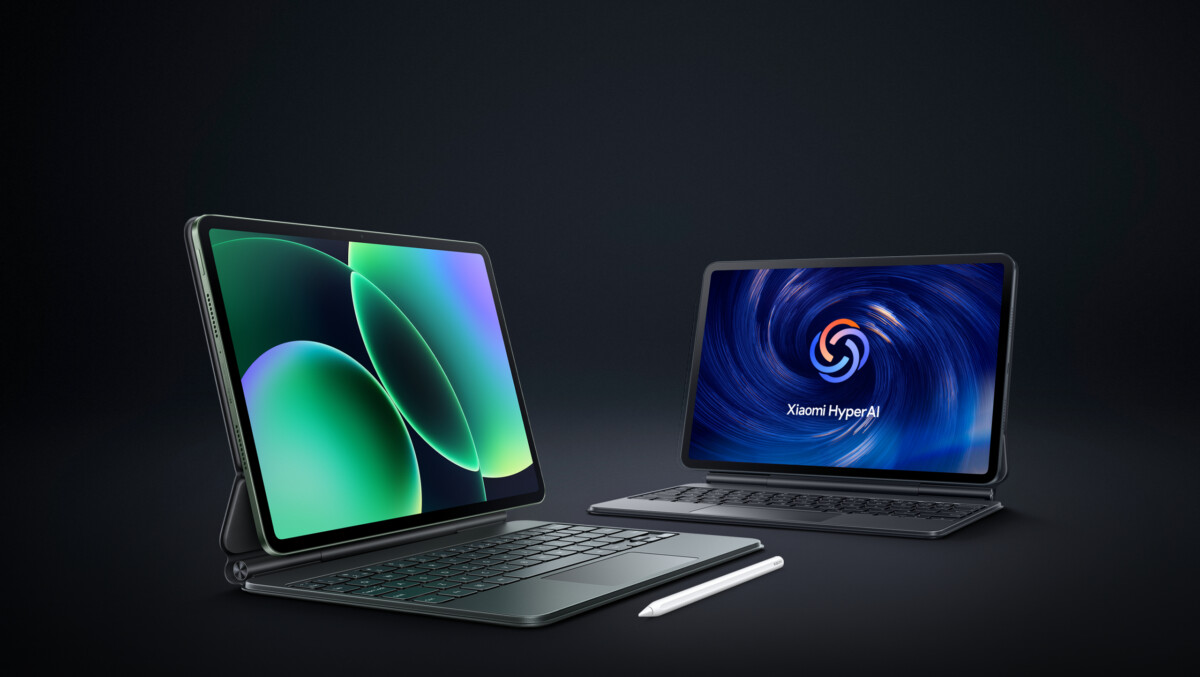
Redmi Pad 2 is the more budget-minded line to compare if you want basic study and entertainment use. Xiaomi’s official page presents it as a tablet for viewing, reading and daily use, which makes it relevant for students who do not need the strongest processor or the most premium display.
This is the model to consider for lecture recordings, e-textbooks, browser research, streaming and simple note-taking. It may be less appropriate if your course requires heavy multitasking, design apps, coding environments or specialised software.
The value decision is not simply Pad 8 versus Redmi Pad 2. It is whether the cheaper tablet plus accessories serves the next two years better than stretching for a stronger model you may not fully use.
How To Check The Student Deal Properly

Start by confirming eligibility. Student promotions usually require a school email, student verification, valid student ID, or a specific purchase route. Do not compare prices until you know the discount actually applies to you.
Next, compare the final checkout price against other official Xiaomi Singapore listings and authorised channels. The promo visual shown in current coverage mentions a special student offer and valid student ID, while the deal listing points to selected tablet savings. Treat the final checkout or official store confirmation as the authority.
Finally, check warranty and return terms. A tablet bought for school should not become a support problem during exams. Official channels and clear warranty coverage are worth more than a slightly lower price from an uncertain seller.
Tablet Or Laptop For School
A tablet is excellent for reading, handwritten notes, video lessons and portability. It is less ideal for long essays, spreadsheet-heavy work, coding, desktop apps and multi-window research unless you add a keyboard and accept software limits.
If your course uses Microsoft Office, Google Docs, PDFs and lecture portals, a Xiaomi tablet may be enough as a companion device. If your course needs engineering software, design tools, data analysis or long-form writing every week, treat the tablet as a second device rather than your only machine.
Parents buying for a student should ask what apps the school actually requires. The best discount is not the lowest price; it is the device that avoids a second purchase three months later.
Before You Buy
Check the official Xiaomi Singapore product pages, confirm student eligibility, compare the exact model and storage price, and include accessories in the total. The Xiaomi Singapore student promotion is strongest if you already know a tablet fits your course routine and you can verify the discount before checkout.
For the Xiaomi Singapore student promotion, the core checks are student eligibility, the exact Pad 8 or Redmi Pad 2 model, storage configuration, accessory needs and the final discounted price shown by Xiaomi or the participating channel. A tablet deal only works if the model matches the student’s actual school apps, note-taking style and screen-size preference. The promotion headline may say up to 30% off, but the useful number is the final price for the exact model in hand.
Related on Little Big Red Dot: Smart Home Tech Show 2026, Best food and dining deals this week, Hallmark Marina Square moving out sale.
Official links: Xiaomi Pad 8, Redmi Pad 2.
The sensible way to compare the promotion is to price the full study setup, not only the tablet. Add a keyboard, stylus, case, charger needs and warranty expectations, then compare that total with the discounted tablet price. That is where the Pad 8 and Redmi Pad 2 can separate into different use cases instead of looking like interchangeable student bargains. A lower-cost Redmi Pad may suit reading and video lessons, while a stronger Pad 8 configuration may make more sense for heavier note-taking and multitasking.
Before buying under the Xiaomi student offer, ask for the proof of eligibility required at the store or checkout, then confirm whether the advertised discount applies to your exact colour, storage and bundle. If the offer depends on limited stock, get the final price and included accessories in writing or on the receipt before leaving the counter. Parents buying for polytechnic or university use should also check whether the course expects Windows or macOS software, because a tablet cannot replace every laptop requirement.
Skip the Xiaomi offer if the student mainly needs laptop software, heavy multitasking or exam-approved tools that a tablet cannot provide. Buy only when the device will handle the daily workflow: lecture notes, PDFs, video calls, online learning platforms and enough battery life for a normal school day. If the tablet is mainly for entertainment, treat the student discount as a nice saving rather than a reason to upgrade early.