
Parents can link a child under 15 to their own MyActiveSG+ account through Singpass, then use the child’s ActiveSG credits to book programmes, book or ballot for facilities and buy swim or gym passes on the child’s behalf.
It is worth setting up before the year-end school holidays, so holiday programmes and pool passes can go straight onto the child’s account.

Linking your child’s account
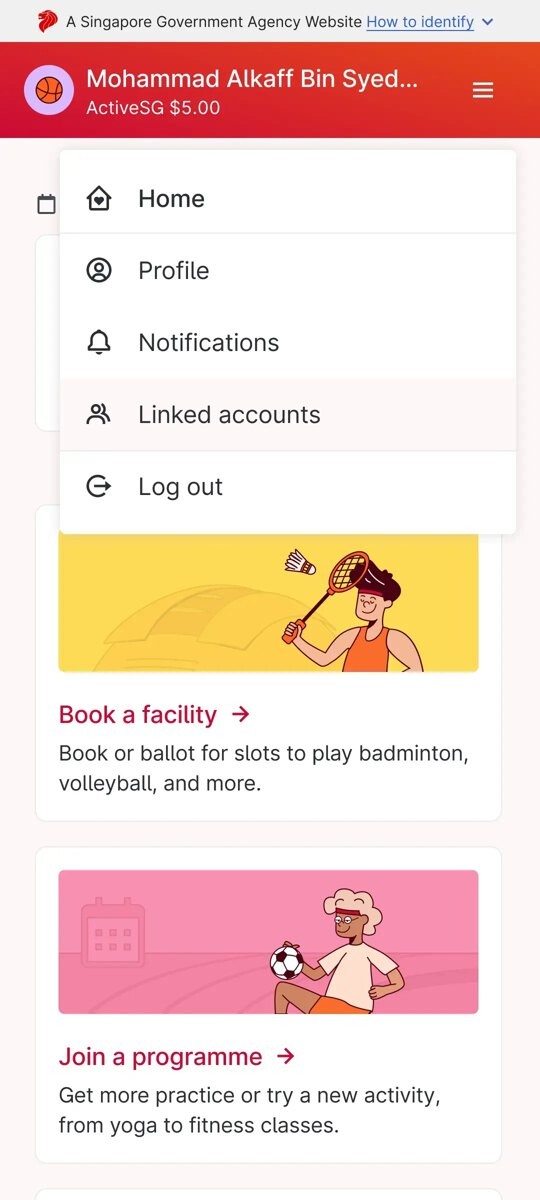
Log in to MyActiveSG+ first. Linking then takes five steps:
- Tap the menu and go to Linked accounts.
- Tap the button to link your child.
- Authenticate with your Singpass app.
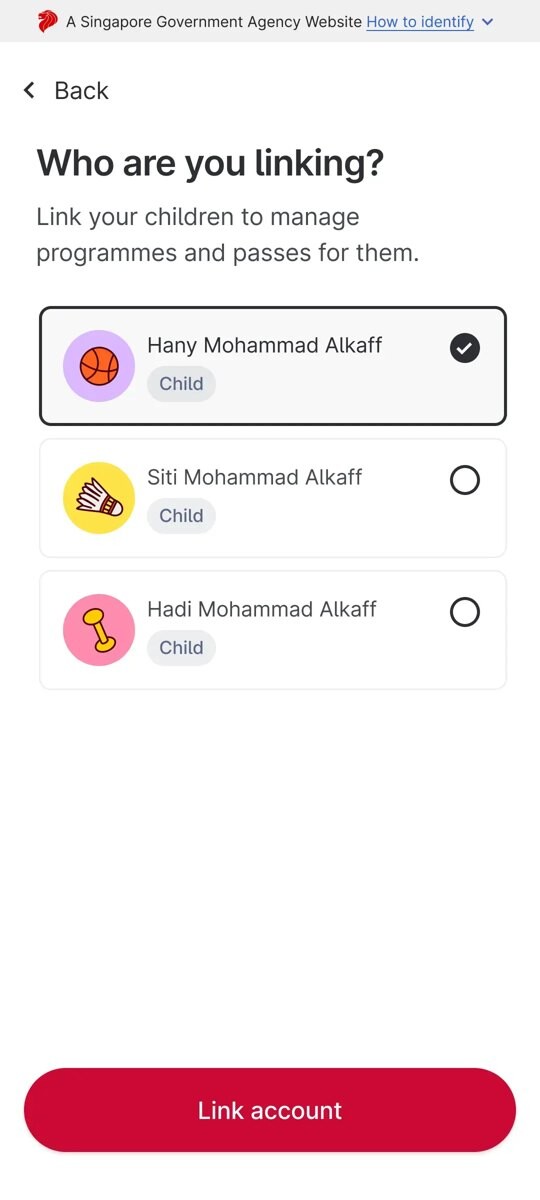
- Select your child’s name and confirm the link.
- The child’s account is then linked to yours.
The child’s details are retrieved for you once Singpass confirms them. If you have more than one child, tap “Link child” again and authenticate with Singpass for each one.
Since 31 August 2025, confirmations for account linking go by email only, while requests to link an account are sent by both SMS and email. Make sure your email address is added to your account so you see the confirmation.
Booking a programme for your child
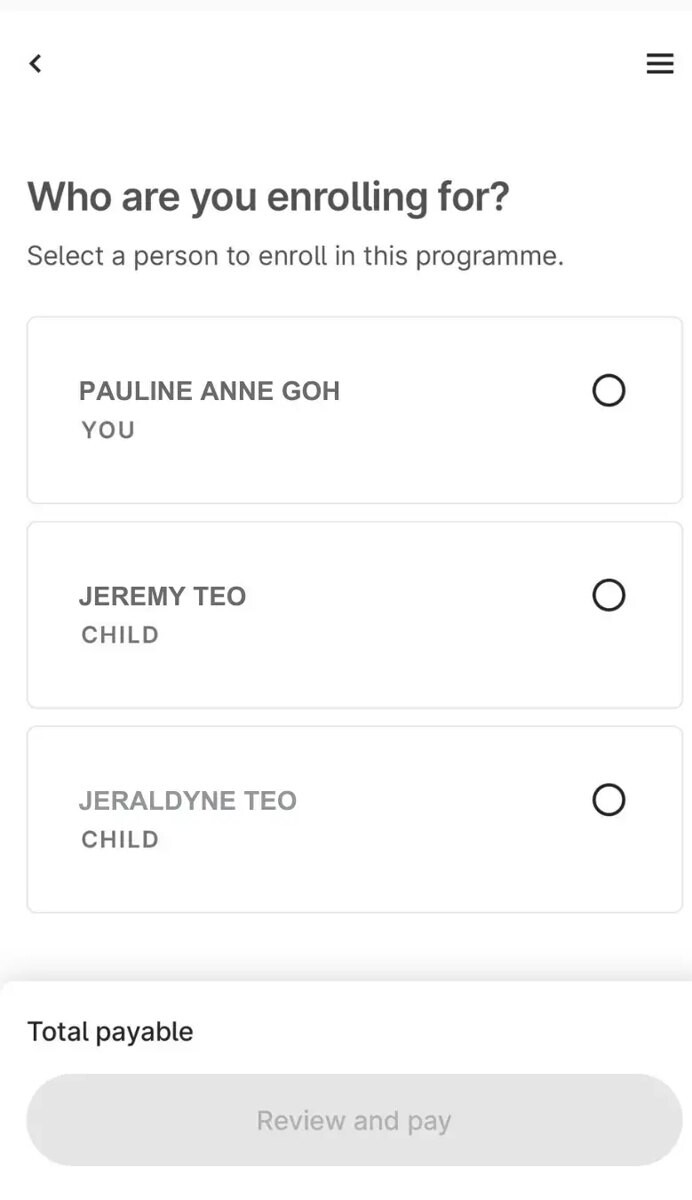
Once linked, a programme booking takes six steps. Pick the programme, then the venue, then tap to select which child you are enrolling. Tap “Review and Pay”, check the amount, date, activity and venue shown, and pay by credit or debit card or PayNow. A booking confirmation page appears once payment goes through.
Credits stretch further on some programmes than others. On MyActiveSG+, credits can offset up to 60 per cent of fees for school holiday programmes tagged SHP60, cover Active Health programmes in full, and offset up to 30 per cent of other programme fees. The one-off S$100 SG60 ActiveSG Credits top-up went to Singapore citizens and permanent residents who logged in with Singpass between 2 June and 31 December 2025.
Facilities and ballots
For courts and other facilities, select the facility and time slot, then choose who the booking or ballot is for: yourself or a linked child. Only accounts with slots still available can be selected. Pay to confirm a booking, or place the ballot. If the child’s ballot succeeds, you pay afterwards to secure the slot.
One rule matters for two-parent households. Only the parent who made the booking or ballot can pay for it or manage it. If the child is also linked to the other parent’s account, that parent can see pending ballots, ballot results and upcoming bookings, but cannot act on them.
At the pool
At pools with gantries, children under 15 can enter and exit by scanning the QR code on the swim pass a parent has bought, or their student card.
If linking fails, ActiveSG asks users to contact it through its feedback form at go.gov.sg/activesg-feedbackform.